แสดงบทความที่มีป้ายกำกับ Android แสดงบทความทั้งหมด

วันจันทร์ที่ 27 มิถุนายน พ.ศ. 2559

How to control android phone using PC by MyPhoneExplorer

สวัสดีครับ วันนี้ท๊อปจะมาแนะนำ MyPhoneExplorer ซึ่งเป็นโปรแกรมที่สามารถควบคุมการทำงานและการแสดงผลของมือถือระบบ Android ได้อย่างง่ายๆ ซึ่งติดตั้งง่าย และใช้งานง่ายด้วยครับ...


MyPhoneExplorer เป็นโปรแกรมฟรี !!! สำหรับการควบคุมโทรศัพท์ระบบปฏิบัติการ Android เพียงแค่คุณมีโทรศัพท์ แล้วใช้ USB, wifi, Bluetooth เชื่อมต่อสัญญาณเข้ากับ PC ซึ่งเมื่อลงโปรแกรมเสร็จเรียบร้อยแล้ว โปรแกรมก็จะให้โทรศัพท์ของคุณส่งข้อมูลทั้งหมดมาที่โปรแกรม โดยต่อไป... เราก็จะสามารถควบคุมการทำงานของโทรศัพท์ทั้งหมดผ่าน PC ได้แล้ว...

วิธีการติดตั้ง มีดังนี้....

ขั้นที่ 1 : ให้เข้าไป Download Software ที่ http://www.fosshub.com/MyPhoneExplorer.html

ขั้นที่ 2 : ทำการติดตั้งโปรแกรมให้เรียบร้อย

ขั้นที่ 3 : หลังจากติดตั้งโปรแกรมเสร็จ เราจะได้ไฟล์ Portable มา 1 ไฟล์ ให้เราเข้าไปที่ Folder แล้ว Double Click ที่ MyPhoneExplorer portable.exe ก็จะได้หน้าต่างโปรแกรมแบบนี้ขึ้นมา


ขั้นที่ 4 : ให้ทำการเชื่อมต่อ USB กับ PC ตัวเองให้เรียบร้อย หลังจากนั้น เข้าไปที่ Menu File > Connect หรือกด F1 ก็ได้ตามภาพ


ขั้นที่ 5 : ให้เลือกเชื่อมต่อแบบ Google Android OS แล้วเลือกเชื่อมต่อแบบ USB Cable


ขั้นที่ 6 : ให้ตรวจสอบโทรศัพท์มือถือของเราว่า ได้เปิด USB Debugging Mode แล้วหรือยัง 


-ให้เข้าไปตรวจสอบที่เมนู Setting


-ถ้าไม่พบ Developer Mode ให้มาเลือกที่ About Device และเลื่อนมาด้านล่างจนเจอคำว่า Build number ซึ่งจะเป็น Font สีหมองๆ เหมือนกดไม่ได้ ให้กดตรงคำว่า Build number ไปเลย 7 ครั้ง (กดย้ำๆไปเลย เกินไม่เป็นไร) 


-หลังจากนั้น... กลับออกมาหน้า Settings ปกติ ก็จะเห็น Developer options ออกมาแล้วนะครับ


-หลังจากนั้น...ให้ Enable USB Debugging Mode ให้เรียบร้อยครับ


ขั้นที่ 7 : เมื่อ Setup เสร็จสมบูรณ์แล้ว ระบบก็จะทำการโอนถ่ายข้อมูลมาที่โปรแกรมทันที


ขั้นที่ 8 : ให้ตั้งชื่อ Phone ของตัวเอง


ขั้นที่ 9 : ระบบก็จะทำการโอนถ่ายข้อมูล (ระวังเรื่องการ log หน้าจอด้วยนะครับ เดี๋ยวจะไม่ Success)


ขั้นที่ 10 : หลังจากนั้น เมื่อเราต้องการ Control หน้าจอ ให้ไปที่เมนู Extras > Control phone/LoadScreenshot หรือกด Shift+F6 ก็จะสามารถ Control หน้าจอได้แล้ว


หลังจากติดตั้งเสร็จเรียบร้อยแล้ว.... ใช้งานได้ตามใจชอบเลยครับ....


วิดีโอตัวอย่างการใช้งาน...


Reference :
 http://www.basehacker.com/2016/06/how-to-control-android-phone-using-pc.html

เพิ่มเติม : โปรแกรมจากค่ายอื่นๆ ที่ไว้ใช้ Remote มาที่ Android เพื่อควบคุมการทำงาน

URL : https://www.mobizen.com/


URL : http://web.airdroid.com/


วันเสาร์ที่ 18 มิถุนายน พ.ศ. 2559

Core Concept Android


หัวใจของการศึกษา Android แบบ Fast Track

Step 1 : ศึกษาพื้นฐาน Android

Phase 1
- ศึกษา View ต่างๆ ที่มีให้ใช้งาน กับ การผูกโค้ดใน Java
- การใช้งาน Activity และการรับส่งข้อมูลด้วย Intent
- Activity Life Cycle 

Phase 2
- Save/Restore Instance State 
- Application คืออะไร?
- Context คืออะไร?

Phase 3
- Fragment + Life Cycle 
- Configuration Changes

Phase 4
- Thread, AsyncTask, Handler, Looper, HandlerThread, IntentService

Phase 5
- BroadcastReciever 

Phase 6
- Permission Systems + Runtime Permission (Android 6.0 Marshmallow)

Step 2 : ศึกษาการใช้งานของ Sensor และการใช้ Storage ในการเก็บข้อมูล
- Location Service (Sensor Service)
- Notification
- Storage Options
- Content Provider

Step 3 : ศึกษาโครงสร้างการเขียน Code ของ Android 
- MVC
- MVP
- MVVM (Alternative) + Data Binding

Step 4 : ศึกษาขั้นตอนการทดสอบ Application (All about Test)
- Clean (Optional)

Step 5 : ดู Library ที่จำเป็นต่อการพัฒนา Application

-ButterKnife : Field and method binding for Android views.
URL : http://jakewharton.github.io/butterknife/


-Bolt : Bolts is a collection of low-level libraries designed to make developing mobile apps easier.
URL : https://github.com/BoltsFramework/Bolts-Android

-Facebook SDK : Helps you build engaging social apps and get more installs.
URL : https://developers.facebook.com/docs/android/


-Parse : The open source Parse backend. Setup your self-hosted Parse API today.
URL : https://parse.com/


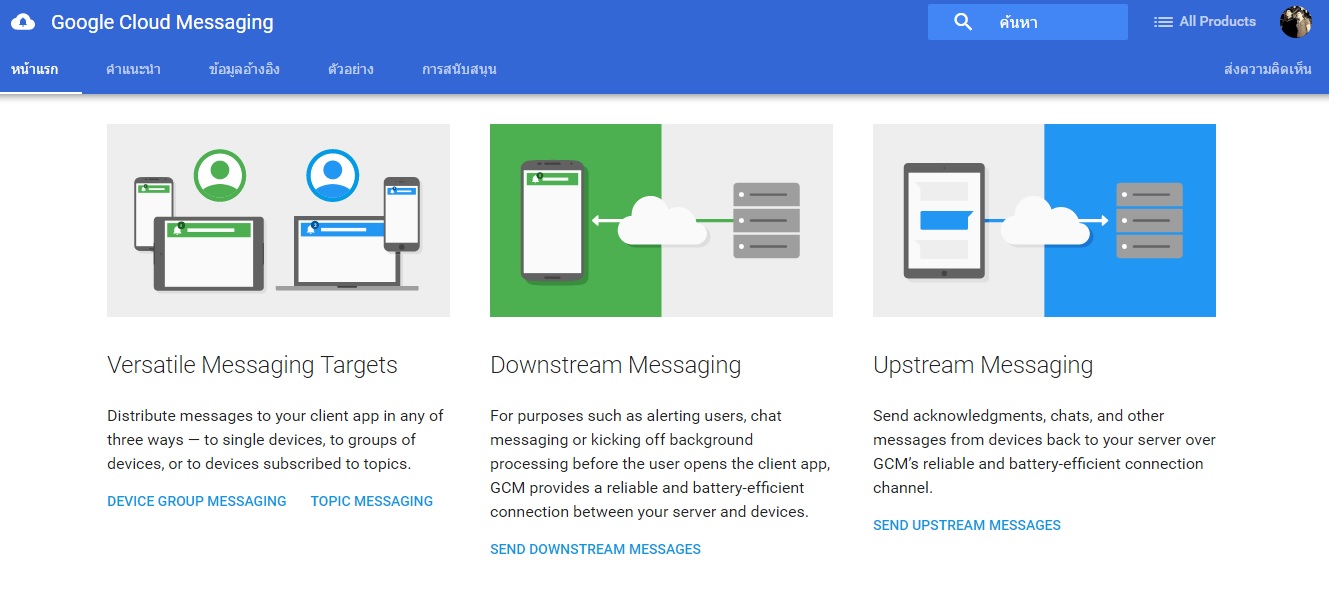
-GCM : Send data from your server to your users' devices, and receive messages from devices on the same connection.
URL : https://developers.google.com/cloud-messaging/

-Glide : Glide is a fast and efficient open source media management and image loading framework for Android that wraps media decoding, memory and disk caching, and resource pooling into a simple and easy to use interface.
URL : https://github.com/bumptech/glide
-Jackson : JSON Parser.
URL : https://github.com/FasterXML/jackson/wiki/Jackson-Release-2.4

-Firebase
-Web : Build web apps with Firebase using JavaScript.
-iOS : Build native iOS apps with Firebase using Objective-C or Swift.
-Android : Build native Android apps with Firebase using Java.
-REST : Use any Firebase database URL as a REST endpoint.

URL : https://www.firebase.com/


-Ads : Make money and advertise across screens and platforms.
URL : https://developers.google.com/ads/


-GSON : JSON Parser.
URL : https://github.com/google/gson

-LoopJ : A Callback-Based Http Client Library for Android.
URL : http://loopj.com/android-async-http/


-Oovoo SDK : Develop your next app with multiparty video chat.
URL : https://developers.oovoo.com/


-Otto : An enhanced event bus with emphasis on Android support.
URL : http://square.github.io/otto/


-Google Analytic : Application Statistics.
URL : https://developers.google.com/analytics/devguides/collection/android/v4/


วันอาทิตย์ที่ 22 พฤษภาคม พ.ศ. 2559

Android Development with Android Studio

Android Coding by Vogella Company


1.STARTER TUTORIALS
-Introduction to Android development with Android Studio - Tutorial
http://www.vogella.com/tutorials/Android/article.html

-Solutions for common Android development problems with the Eclipse IDE- Tutorial
http://www.vogella.com/tutorials/AndroidDevelopmentProblems/article.html

2.FUNDAMENTAL TUTORIALS
-Android application and activity life cycle - Tutorial
http://www.vogella.com/tutorials/AndroidLifeCycle/article.html

-Android Intents - Tutorial
http://www.vogella.com/tutorials/AndroidIntent/article.html

-Android Logging - Tutorial
http://www.vogella.com/tutorials/AndroidLogging/article.html

-Showing dialogs in Android with fragments - Tutorial
http://www.vogella.com/tutorials/AndroidDialogs/article.html

-Using lists and grids in Android with RecylerView - Tutorial
http://www.vogella.com/tutorials/AndroidRecyclerView/article.html

-Using lists in Android (ListView) - Tutorial
http://www.vogella.com/tutorials/AndroidListView/article.html

3.USING FRAGMENTS AND THE ACTIONBAR
-Multi-pane development in Android with Fragments - Tutorial
http://www.vogella.com/tutorials/AndroidFragments/article.html

-Using the Android action bar (ActionBar) - Tutorial
http://www.vogella.com/tutorials/AndroidActionBar/article.html

4.FILE AND NETWORK ACCESS AND ASYNCHRONOUS PROCESSING
-Android background processing with Handlers, AsyncTask and Loaders - Tutorial
http://www.vogella.com/tutorials/AndroidBackgroundProcessing/article.html

-Android Networking - Tutorial
http://www.vogella.com/tutorials/AndroidNetworking/article.html

-Android Persistence with preferences and files - Tutorial
http://www.vogella.com/tutorials/AndroidFileBasedPersistence/article.html

-Android SQLite database and content provider - Tutorial
http://www.vogella.com/tutorials/AndroidSQLite/article.html

-Android XML Processing with the XmlPullParser - Tutorial
http://www.vogella.com/tutorials/AndroidXML/article.html

-JSON in Android - Tutorial
http://www.vogella.com/tutorials/AndroidJSON/article.html

5.ANDROID ADVANCED USER INTERFACE DEVELOPMENT
-Android - Using drag and drop in your application - Tutorial
http://www.vogella.com/tutorials/AndroidDragAndDrop/article.html

-Android (Home screen) Widgets - Tutorial
http://www.vogella.com/tutorials/AndroidWidgets/article.html

-Android Drawables - Tutorial
http://www.vogella.com/tutorials/AndroidDrawables/article.html

-Android Live Wallpaper - Tutorial
http://www.vogella.com/tutorials/AndroidLiveWallpaper/article.html

-Android resource selectors - Tutorial
http://www.vogella.com/tutorials/AndroidResourceSelection/article.html

-Android styles and themes - Tutorial
http://www.vogella.com/tutorials/AndroidStylesThemes/article.html

-Creating custom and compound Views in Android - Tutorial
http://www.vogella.com/tutorials/AndroidCustomViews/article.html

-Using animations in Android application - Tutorial
http://www.vogella.com/tutorials/AndroidAnimation/article.html

6.SERVICES, BROADCASTRECEIVER AND NOTIFICATION MANAGER
-Android BroadcastReceiver - Tutorial
http://www.vogella.com/tutorials/AndroidBroadcastReceiver/article.html

-Android Data Backup - Tutorial
http://www.vogella.com/tutorials/AndroidDataBackup/article.html

-Android memory and performance optimization - Tutorial
http://www.vogella.com/tutorials/AndroidApplicationOptimization/article.html

-Android Notifications - Tutorial
http://www.vogella.com/tutorials/AndroidNotifications/article.html

-Android Services - Tutorial
http://www.vogella.com/tutorials/AndroidServices/article.html

-Scheduling of tasks in Android with the AlarmManager and the JobScheduler - Tutorial
http://www.vogella.com/tutorials/AndroidTaskScheduling/article.html

7.ANDROID TESTING AND TOOLS
-Android application (performance and more) analysis tools - Tutorial
http://www.vogella.com/tutorials/AndroidTools/article.html

-Android user interface testing with Espresso - Tutorial
http://www.vogella.com/tutorials/AndroidTestingEspresso/article.html

-Android user interface testing with Robotium - Tutorial
http://www.vogella.com/tutorials/Robotium/article.html

-Testing with AssertJ assertions - Tutorial
http://www.vogella.com/tutorials/AssertJ/article.html

-Unit Testing with JUnit - Tutorial
http://www.vogella.com/tutorials/JUnit/article.html

-Unit tests with Mockito - Tutorial
http://www.vogella.com/tutorials/Mockito/article.html

-Using Hamcrest for testing - Tutorial
http://www.vogella.com/tutorials/Hamcrest/article.html

8.ANDROID BUILDS
-Building Android applications with Gradle - Tutorial
http://www.vogella.com/tutorials/AndroidBuild/article.html

-Building Android Apps with Apache Maven - Tutorial
http://www.vogella.com/tutorials/AndroidBuildMaven/article.html

-Using the Android Debug Bridge (adb) - Tutorial
http://www.vogella.com/tutorials/AndroidCommandLine/article.html

9.LOCATION API AND GOOGLE MAPS
-Android Location API - Tutorial
http://www.vogella.com/tutorials/AndroidLocationAPI/article.html

-Google Maps Android API v2 - Tutorial
http://www.vogella.com/tutorials/AndroidGoogleMaps/article.html

10.SENSORS AND TOUCH
-Android Camera API - Tutorial
http://www.vogella.com/tutorials/AndroidCamera/article.html

-Android Gestures - Tutorial
http://www.vogella.com/tutorials/AndroidGestures/article.html

-Android Sensor - Tutorial
http://www.vogella.com/tutorials/AndroidSensor/article.html

-Handling single and multi touch on Android - Tutorial
http://www.vogella.com/tutorials/AndroidTouch/article.html

11.LIBRARY PROJECTS
-Creating libraries for Android applications - Tutorial
http://www.vogella.com/tutorials/AndroidLibraryProjects/article.html

-Useful Android Libraries - Tutorial
http://www.vogella.com/tutorials/AndroidUsefulLibraries/article.html

-Using the Otto Event Bus library on Android - Tutorial
http://www.vogella.com/tutorials/JavaLibrary-EventBusOtto/article.html

12.SPECIAL ANDROID PROGRAMMING TOPICS
-Android Calendar API - Tutorial
http://www.vogella.com/tutorials/AndroidCalendar/article.html

-Android Cloud to Device Messaging (C2DM) - Tutorial
http://www.vogella.com/tutorials/GoogleCloudMessaging/article.html

-Android Internals - Tutorial
http://www.vogella.com/tutorials/AndroidInternals/article.html

-Android Source Code - Notes
http://www.vogella.com/tutorials/AndroidSourceCode/article.html

-Handling Media with Android - Tutorial
http://www.vogella.com/tutorials/AndroidMedia/article.html

13.USING ECLIPSE FOR ANDROID DEVELOPMENT
-Debugging Android applications - Tutorial
http://www.vogella.com/tutorials/AndroidDebugging/article.html

วันศุกร์ที่ 20 พฤษภาคม พ.ศ. 2559

How to Setup Genymotion Emulator Configuration (Unable to start Genymotion Virtual Device)

Unable to start Genymotion Virtual Device 
- Virtualbox Host Only Ethernet Adapter Failed to start


จากที่ท๊อปได้พบปัญหาการลง Genemotion เวอร์ชั่น 2.6.0 ซึ่งเป็นเวอร์ชั่นล่าสุด หลังจากที่ได้ดาวโหลด Emulator เวอร์ชั่นที่ต้องการลงมาแล้ว ไม่สามารถ Start Emulator ที่ Oracle VM VirtualBox ได้ เนื่องจากมีปัญหาเรื่อง IP ที่ใช้ ท๊อปจึงได้แชร์การ Solve Problems นี้ไว้ เผื่อใครที่เจออาการแบบนี้จะได้ลองแก้ไขดูครับ


จากการสังเกต พบว่า ทุกคนจะเจอปัญหาเรื่องนี้มาพอสมควร...  เช่น ใน StackOverflow หรือใน Youtube เอง ก็จะมีวิธีแก้ไขอยู่ แต่เป็น Case by Case ไป...


-ในเบื้องต้น ให้เราเปิด VirtualBox และตรวจสอบการสร้าง Emulator โดย GenyMotion
-คลิ๊กขวา แล้วเลือก Settings และไปที่ Tab Network เพื่อปรับ Properties ให้ไปเลือก VirtualBox NDIS6 Bridged Networking Driver


-หลังจาก Set Network เสร็จแล้ว ให้ Run VirtualBox ด้วย administrator


-ให้ไปที่ File -> Preferences -> Network -> Host Only Networks


-ให้ Add IPv4 AddressIPv4 Network Mask, Server Address, Server Mask, Lower Address Bound และ Upper Address Bound

Adapter Tab:
-IPv4 Address : 192.168.0.201
-IPv4 Network Mask : 255.255.255.0


DHCP Server Tab:
Server Address : 192.168.0.100
- Server Mask : 255.255.255.0
- Lower Address Bound : 192.168.0.101
- Upper Address Bound : 192.168.0.199


Restart Windows และลอง Start Oracle VirtualBox อีกครั้ง !!!


ก่อนทดสอบ Emulator ผ่าน Android Studio

**Note : การ Import Project จาก Eclipse มายัง Android Studio ให้เลือก Menu "Import Project (Eclipse, ADT, Gradle, etc.) และจะต้อง Copy โครงสร้างภายใน 
ไม่ใช่ Copy แค่ Folder มาไว้ที่ Folder ใหม่ เพื่อการ Migrate Project ให้สมบูรณ์


ทดสอบ Emulator ผ่าน Android Studio ได้เลย...


กดปุ่ม Run > OK


References : http://stackoverflow.com/questions/19106436/unable-to-start-genymotion-virtual-device-virtualbox-host-only-ethernet-adapte

วันเสาร์ที่ 30 เมษายน พ.ศ. 2559

Android Sensors


Location provider Requires 

android.permission.ACCESS_COARSE_LOCATION android.permission.ACCESS_FINE_LOCATION

LocationManager

GetSystemService(Context.LOCATION_SERVICE)

หลังจากที่ลงทะเบียน จะได้รับตำแหน่งของผู้ใช้ที่ทราบล่าสุด, การอัพเดตสถานที่ หรือได้รับ intents เมื่อเกิดการแบ่ง หรือย้ายออกจากพื้นที่ทางภูมิศาสตร์

LocationListener

อินเตอร์เฟซที่กำหนด วิธีการ callback methods เมื่อมีการเปลี่ยนแปลงสถานที่ หรือการเปลี่ยนแปลงสถานะของ location Provider

Void onLocationChanged(Location location) 
Void onProviderDisabled(Stringprovider) 
Void on ProviderEnabled(Stringprovider) 


Getting location


Reference systems

•X axis: อยู่ในแนวนอนและชี้ไปทางขวา
•Y axis: อยู่ในแนวตั้งและชี้ขึ้น
•Z axis: ชี้ไปทางด้านนอกของด้านหน้าของหน้าจอ


Sensor Type


Software architecture


Reading magnetic field


 Reading acceleration


Reading the position